
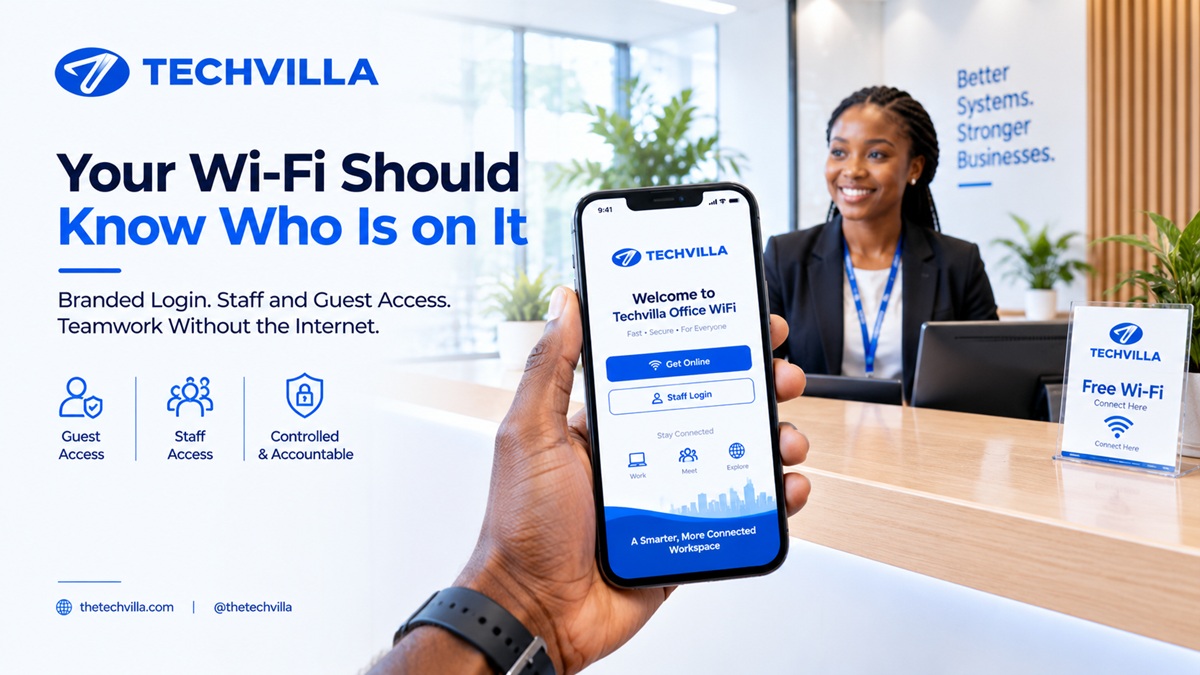
LANCore is Techvilla’s on-site system for running a branded Wi-Fi login page and controlling who uses your internet, with an offline workspace so your team can keep working when the connection drops. If you have ever wondered how to stop everyone knowing your Wi-Fi password, or how to keep staff productive when the network goes down, those are the two problems it is built for.
What Is LANCore, in Plain Words?
LANCore runs on a small computer on your premises, sitting between your internet line and your Wi-Fi. That can be a LANCore Box supplied by Techvilla, or a qualified computer you already own. The “LAN” stands for local area network, which simply means the network inside your building.
Because LANCore lives inside your building, connection records and settings stay on your own equipment, and you choose how long records are kept. Optional services such as payments or email notices involve outside providers, and you decide whether to switch them on. It does two jobs, and you can use either or both.
How Does a Branded Wi-Fi Login Page Work?
When someone connects to your Wi-Fi, a login page carrying your name, logo, and welcome message opens on their phone or laptop. There is nothing to install. Until they log in, they cannot use your internet. How they log in depends on your business:
- Staff: each person gets their own login instead of a shared password.
- Guests and visitors: a voucher or access code that stops working after a set time, so nobody has to remember to change a password after a visit.
- Paid access: cybercafes and venues that sell internet time can sell it by the hour using vouchers, or through Paystack where enabled for the site.
Sessions can have a time limit, an idle timeout, and a cap on how many devices one account can use. LANCore keeps a history of who connected and when. It records connections, not what people browse. Per-user speed limits and time-of-day schedules are not part of the standard setup, so tell us if you need them.
During setup, we test the full journey on real devices at your site. For hotels, the same page carries your branding, as covered in our guide to technology for hotels. For offices and schools, it replaces the shared password with accountability, building on fixing office Wi-Fi properly.
Can Your Team Keep Working When the Internet Is Down?
The second job is an internal workspace: team chat, file sharing, and task tracking that run on your own equipment and work without internet. Staff open it in a browser on any device connected to your office network, so when the connection drops they can keep messaging, sharing files, and assigning tasks. We cover this in more detail in keeping your team working without internet.
LANCore does not replace your internet. Browsing, emailing clients, and online payments still need your connection.
Is a Login Page Itself Safe? What to Ask Any Provider
A login page can also be a target. In 2026, security researchers reported a campaign, named CaptiveCrunch, that broke into the gateways running guest Wi-Fi at hotels and conference venues and sent guests to fake login pages to steal their passwords. The lesson is not to avoid login pages. It is that the box behind the page must be secured properly. Whoever you choose, ask:
- Who can administer the gateway, and from where?
- Are administrator accounts named, protected with strong sign-in, and logged?
- Are updates signed, and who owns security patches?
- Does the login page use a certificate browsers trust, so guests are not taught to click through warnings?
LANCore is designed around these points: administration limited to a network you choose, named operator accounts with limited permissions, extra sign-in protection for privileged roles where supported, signed updates, and a trusted certificate for the login page. If you want to see how this would be set up on your site before deciding, ask us.
Who Is LANCore a Good Fit For, and Who Is It Not?
It suits cybercafes and small venues that sell access, small schools and offices that want staff and guest access under control, hotels and guest houses that want a branded guest login, and offices where internet interruptions regularly stop work.
It is not a replacement for enterprise network-security platforms, and we do not position it for banks, hospitals, or other settings that need a separately validated security offer. If your Wi-Fi equipment connects through basic unmanaged switches, LANCore controls internet access at the gateway but does not stop devices on the same network from seeing each other. We would rather tell you this at the start.
How Do You Get Started?
LANCore works alongside your existing router and access points. Your Wi-Fi equipment needs to run in access-point (bridge) mode so LANCore can see each device, and we check this during setup. LANCore is available on request: we look at your site first, then recommend a setup.
Because connection records can be personal data, how you keep and use them matters. See our piece on NDPC enforcement for the wider picture.
Getting a branded Wi-Fi login page right in Nigeria starts with a setup fitted to your site, not a generic router screen.
At Techvilla, we install LANCore on request and begin by looking at your site, so the setup matches how you actually work.
Request a LANCore walkthrough or, if you prefer something quicker, message us your setup on WhatsApp and we will tell you whether it fits.
Because the goal is not just to build a website. The goal is to make your business digital, visible, and future-ready.