
You're in the middle of an important call and the connection drops. A staff member can't upload a document because the internet is too slow. A customer walks in and asks for the Wi-Fi password, only to sit watching a loading circle spin. Sound familiar?
Poor office Wi-Fi is one of the most common, and most tolerated frustrations in Nigerian businesses. Most people assume it's just "the network" and move on. But more often than not, the problem isn't Nigeria's internet providers. It's how the Wi-Fi was set up in the first place.
And in most offices, it was never really set up at all, just plugged in and left alone.
Why Does Office Wi-Fi Keep Failing?
There are usually a handful of culprits, and they're more fixable than most business owners realise.
The wrong equipment for the space. Many offices are running on a basic home router, the kind that works fine in a three-bedroom flat but struggles the moment ten or fifteen devices connect at once. Office environments need equipment built for multiple, concurrent users.
Poor router placement. A router tucked behind a desk or inside a cabinet will struggle to reach every part of a large office evenly. Wi-Fi signals weaken through walls and over distance, which is why one end of the office gets a strong signal while the other barely connects.
No control over who uses what. When staff, clients, vendors, and visitors all connect to the same network without any restrictions, they compete for the same bandwidth. One person streaming video or downloading large files can quietly slow down the entire office. And there's a security risk too, guests on the same network as your staff can potentially access internal files and systems.
Power supply affecting equipment. Frequent power cuts, voltage fluctuations, and switching between NEPA and generator can reset or damage networking equipment over time, causing performance to degrade in ways that aren't immediately obvious.
No one managing it. A Wi-Fi network installed once and never touched again is likely running outdated settings, has never been optimised for the current number of users, and has no monitoring in place to catch problems before they affect the whole office.
What a Properly Set Up Office Network Actually Looks Like
A professionally installed office network is designed around your specific space -the number of devices connecting, the kind of work your team does, and critically, who should have access to what.
This is where most businesses are missing something they don't even know exists.
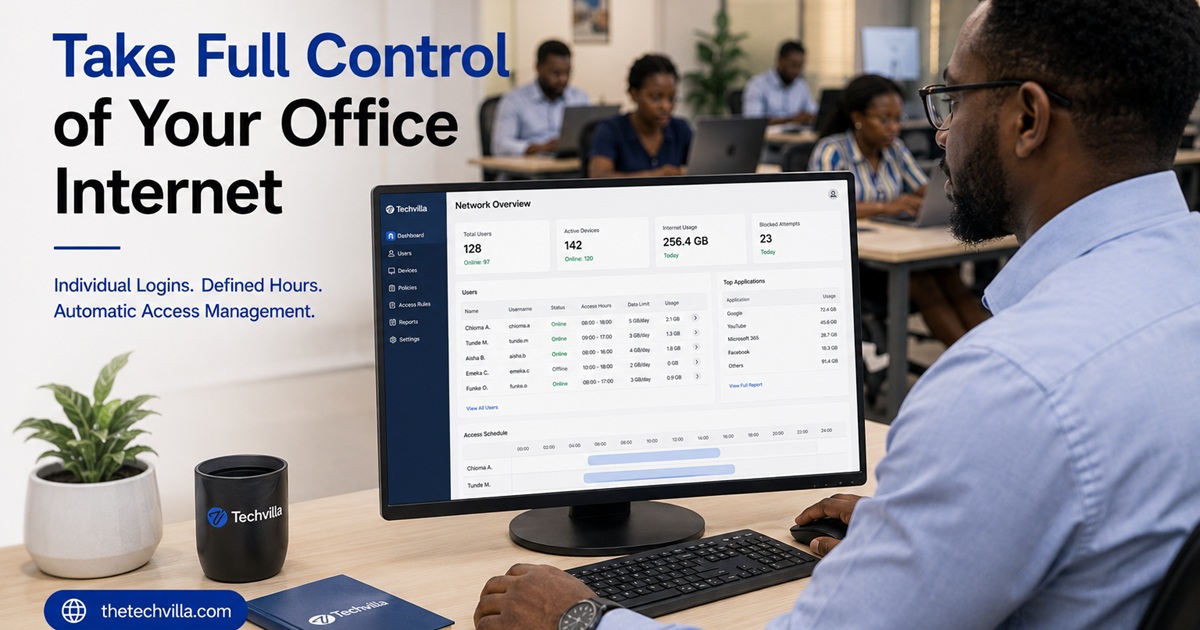
Individual login access per staff member. Rather than one shared Wi-Fi password that everyone knows and that never changes, Techvilla can set up a system where each staff member has their own unique username and password to log into the office network. No software to install -the branded login page appears automatically the moment anyone connects, just like what you see when you connect to Wi-Fi in an airport or hotel.
Defined access hours. Each staff account can be configured to work only during designated hours -say, 8am to 6pm on weekdays. Outside of those hours, the access simply doesn't work, automatically. No manual intervention needed.
Bandwidth allocation per user. Rather than letting one person's heavy usage slow everyone else down, bandwidth can be allocated per staff account -so each person gets a fair, defined share of the internet, and no single user can monopolise the connection.
Guest accounts that expire automatically. When a client, vendor, or visitor needs internet access, you can create a guest account with its own allocated bandwidth that works only for the duration of their visit and expires automatically at the end of the day. No more sharing your staff Wi-Fi password with every person who walks through the door.
A complete access log. If a situation ever arises -a security concern, a policy violation, or simply a need to verify who was on the network at a particular time -the system has a full record of which user logged in, when, and for how long.
And all of this happens through a customised, branded login page that carries your business identity. Users are automatically logged out when their allocated time or work hours are exhausted, without anyone having to manually manage it.
How Much of This Is Actually About the Internet Provider?
Less than most people think. The internet coming into your building may already be sufficient. In many cases, a business is paying for decent connectivity that's simply being distributed poorly and used without any control. Fixing the internal network setup, and adding proper access management often resolves the problem entirely, without switching providers or upgrading to a more expensive plan.
The Real Cost of Poor Wi-Fi
It's easy to dismiss slow Wi-Fi as a minor inconvenience. But when staff lose thirty minutes, -sometimes hours a day to connectivity issues, that's a real productivity loss across every person in the office, every working day. And when there's no control over who accesses the network and how, there's a security and accountability gap most business owners only notice after something goes wrong.
At Techvilla, we design and install office networks built specifically for Nigerian business environments -the right equipment, properly placed, with full access control, bandwidth management, and a branded login experience that puts you in control of your own network.
Chat with us on WhatsApp → or start a free consultation.
Because the goal isn't just to build a website. The goal is to make your business digital, visible, and future-ready.